
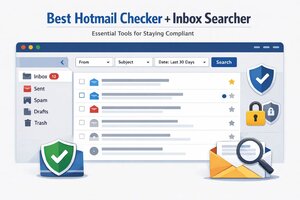
Email remains one of the most important digital tools for personal communication, business operations, and account security. Even in 2025, many users rely on Hotmail addresses that are now fully integrated into the Outlook ecosystem. As inboxes grow older and more complex, users often look for structured ways to review, organize, and search their email data efficiently. This is where the idea of a Best Hotmail Checker + Inbox Searcher is commonly discussed.
When approached responsibly, an inbox checking or searching tool is not about intrusion or misuse. Instead, it focuses on helping account owners audit their own email activity, recover important information, and maintain proper digital hygiene. This guide explains the concept from an ethical and educational standpoint, helping readers understand how inbox search and account checking can be done safely and lawfully.
Understanding Hotmail Accounts in the Modern Outlook Ecosystem
Hotmail was one of the earliest global webmail services and is now part of the broader Outlook platform operated by Microsoft. While the Hotmail brand is still widely used in email addresses, all Hotmail accounts function within Outlook.This integration means users benefit from advanced search capabilities, security features, and cloud based email storage. However, long term users often face challenges such as overloaded inboxes, forgotten messages, and difficulty locating old data. Inbox checking and searching tools aim to address these issues in a structured way.
What Does a Hotmail Checker Mean in a Legitimate Context
The term “checker” can be misleading if not explained properly. In a compliant and ethical context, a Hotmail checker refers to a tool or process that helps an account owner verify the status of their own email account.Legitimate uses include confirming that an account is active, checking login accessibility, reviewing storage usage, and identifying security alerts. These checks are part of responsible account management and help users stay informed about their digital assets.
Inbox Searcher Explained for Everyday Users
An inbox searcher focuses on scanning and filtering emails within an account that the user owns. Instead of manually scrolling through thousands of messages, a searcher helps locate specific emails based on keywords, dates, senders, or subjects.This is especially useful for users who rely on email for account recovery, billing records, or professional communication. By organizing inbox data efficiently, users reduce stress and improve productivity.
Ethical and Legal Boundaries You Must Respect
Ownership and Authorization
Any inbox checking or searching activity must be performed only on accounts you personally own or have explicit permission to access. Accessing third party inboxes without consent is not ethical and may be illegal.Platform Rules and Terms
Email providers clearly define how their services can be accessed. Users should follow the official terms of service and avoid tools that attempt to bypass security systems or authentication layers.Data Privacy Responsibilities
Emails often contain sensitive personal and financial information. Responsible tools respect privacy by keeping data local, secure, and confidential.Why Users Look for Inbox Checking Tools
Managing Large Volumes of Email
Long term email accounts often contain years of messages. A structured search approach helps users quickly retrieve important information.Account Security Awareness
Inbox review allows users to spot suspicious login alerts, password reset emails, or unfamiliar notifications that may indicate security risks.Digital Organization and Cleanup
Searching and filtering emails makes it easier to archive, delete, or categorize messages, improving inbox performance and clarity.Common Features of a Responsible Inbox Search Tool
A legitimate inbox searcher typically includes:- Keyword based email searching
- Date and sender filtering
- Attachment detection
- Export options for personal records
- Read only analysis to prevent accidental changes
How Inbox Searching Supports Account Recovery
Email is often the backbone of digital identity recovery. Password resets, verification codes, and service notifications are commonly delivered to inboxes.Being able to search efficiently helps users locate recovery emails quickly, reducing downtime and frustration during account recovery processes.
Security First Approach to Email Management
Responsible inbox tools prioritize security. They do not store passwords in plain text, do not transmit data to unknown servers, and do not attempt to override platform safeguards.Users should always enable two factor authentication and review login activity regularly as part of good email hygiene.
Educational Value for Technical Users
From a learning perspective, inbox searching and account checking tools offer insight into how email systems work. Developers and IT students can learn about protocols, indexing, and search logic through ethical experimentation on test accounts.This educational value contributes to better software design and stronger security awareness.
Avoiding Misuse and Misinterpretation
Search terms and product names can sometimes sound risky, but intent defines legitimacy. A Best Hotmail Checker + Inbox Searcher becomes a helpful tool when framed around self auditing, organization, and compliance.Clear documentation and ethical usage guidelines are essential to prevent misuse.
Choosing Tools With Transparency
When evaluating any inbox related tool, users should look for:- Clear explanations of functionality
- No promises of unauthorized access
- Respect for platform security
- Transparent data handling practices
Best Practices for Responsible Inbox Management
Regular inbox audits help maintain digital clarity. Users should schedule periodic reviews to delete unnecessary messages, archive important records, and update security settings.Inbox searching should be part of a broader digital wellness routine.
The Role of Built In Outlook Features
It is important to note that Outlook itself already offers powerful search and filtering tools. Before turning to external solutions, users should explore native features such as advanced search operators, focused inbox, and rules.These built in options are fully compliant and supported by the platform.
Compliance Focused Summary
The Best Hotmail Checker + Inbox Searcher concept should always be understood as a personal account management aid. Its value lies in helping users organize, review, and secure their own inbox data.Anything that claims access beyond authorized boundaries should be avoided.
Conclusion
The Best Hotmail Checker + Inbox Searcher is best viewed as a responsible approach to inbox organization and account awareness. When used ethically, these tools help users regain control over long standing email accounts, improve security awareness, and reduce clutter.Staying within legal and platform boundaries is essential. By focusing on ownership, consent, and transparency, inbox checking becomes a positive and educational practice rather than a risk.
FAQs
1. Is it legal to use a Hotmail inbox checkerYes, as long as it is used only on accounts you own or are authorized to access.
2. Can inbox search tools improve email security
They can help identify suspicious emails and security alerts, supporting better awareness.
3. Are third party inbox tools necessary
Often no. Many users can rely on built in Outlook search features.
4. What should I avoid when choosing an inbox tool
Avoid tools that promise unauthorized access or bypass security systems.
5. How often should I audit my email inbox
A quarterly review is a good practice for most users.
