
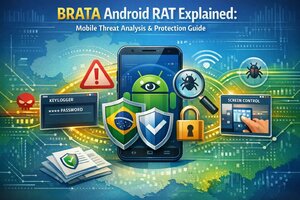
Mobile devices sit at the center of modern life. They hold private conversations, banking alerts, authentication codes, work files, and personal photos. Because of this concentration of sensitive data, Android devices have become a frequent target for advanced mobile threats. One name that often appears in cybersecurity research and threat intelligence discussions is BRATA Android RAT.
This article is written as an educational and defensive guide. It explains what the BRATA Android RAT is, why it is discussed in security circles, how such threats operate at a high level, and most importantly how users and organizations can protect themselves. The goal is awareness, compliance, and responsible digital safety, not misuse or exploitation.
Understanding Android Remote Access Threats
Android is one of the most widely used mobile operating systems in the world. Its openness and flexibility make it popular with developers and businesses, but those same qualities also create a larger attack surface when devices are not properly secured. A Remote Access Trojan, often shortened to RAT, is a type of malicious software designed to provide unauthorized control over a device.
From a cybersecurity education perspective, RATs are studied so defenders can understand attacker behavior and build better detection and prevention strategies. When discussed responsibly, they are treated as case studies in mobile security risks rather than tools to be used.
What Is BRATA Android RAT
BRATA Android RAT is known in security research as a sophisticated mobile threat that has been observed targeting Android devices. Researchers classify it as a Remote Access Trojan because it can attempt to perform actions remotely after infecting a device. Discussions around BRATA often reference capabilities such as monitoring activity, interacting with the device interface, and attempting to access communication data.
It is important to stress that these descriptions are provided for awareness only. Understanding what such malware tries to do helps users and organizations recognize warning signs and take preventive action.
Why BRATA Is Discussed in Cybersecurity Research
BRATA has been referenced in threat reports because it demonstrates how mobile malware has evolved. Instead of simple nuisance behavior, modern threats attempt to blend into legitimate applications and exploit user trust. Security analysts study these patterns to improve mobile defense tools and user education.
From a compliance standpoint, discussing BRATA helps organizations meet security awareness requirements by educating employees about realistic mobile risks.
Common Infection Vectors Explained
While technical details vary, most Android malware relies on social engineering rather than advanced exploits. Attackers attempt to convince users to install malicious applications by disguising them as updates, utilities, or productivity tools.
Users may encounter:
- Fake application updates
- Impersonated banking or service apps
- Messages urging urgent installation actions
Understanding these tactics empowers users to pause, verify sources, and avoid unsafe installations.
Permissions and Why They Matter
Android’s permission system is a key security feature. Malware often requests excessive permissions that are not required for an app’s stated function. Permissions related to accessibility services, SMS access, or device administration are particularly sensitive.
Responsible mobile security practices involve reviewing permissions carefully and denying access when it does not align with app functionality.
Keylogger Functionality in Context
A keylogger is a component that attempts to record user input. In legitimate contexts, keylogging is used in accessibility software or testing environments with explicit consent. In malicious contexts, it is used to capture credentials or messages without authorization.
Security education emphasizes recognizing suspicious behavior, such as unexpected permission requests or unusual device performance.
Screen Control and User Awareness
Screen control features are another topic often mentioned in RAT discussions. Legitimate remote screen tools exist for support and collaboration, but malicious versions attempt to operate invisibly.
Users should be cautious of apps that request screen capture or overlay permissions without a clear and trusted purpose.
SMS Interception Risks
SMS messages often contain verification codes for banking and online services. Malware that attempts to intercept SMS messages is considered high risk. For this reason, many security guidelines recommend transitioning to app based authentication rather than SMS when possible.
Awareness of SMS interception threats helps users understand why additional authentication layers are important.
Indicators of Compromise on Android Devices
Recognizing early warning signs can limit damage. Possible indicators include unexplained battery drain, increased data usage, unfamiliar apps, or accessibility settings being enabled without user action.
While none of these signs alone confirm infection, they warrant closer inspection and security scans.
Defensive Measures for Individual Users
Personal users can significantly reduce risk by following basic mobile security hygiene. Installing apps only from trusted sources, keeping the operating system updated, and avoiding unknown links are foundational steps.
Regular reviews of installed applications and permissions also help maintain a clean device environment.
Enterprise Mobile Security Considerations
Organizations that allow mobile access to corporate systems must adopt stronger controls. Mobile device management solutions, application whitelisting, and user training are essential components of a compliant security program.
Educating employees about mobile threats like BRATA supports regulatory and internal policy requirements.
The Role of Security Software
Mobile security applications can provide additional protection by scanning for known malicious behavior patterns. While no tool offers absolute protection, layered security reduces overall risk.
Security teams evaluate such tools based on transparency, update frequency, and privacy practices.
Legal and Ethical Responsibilities
Using or distributing malicious software is illegal in many jurisdictions and violates ethical standards. This article focuses strictly on defensive knowledge and awareness. Ethical cybersecurity research aims to protect users, not exploit vulnerabilities.
Responsible discussion ensures information is used to strengthen defenses rather than enable harm.
Why Education Is the Best Defense
Technology alone cannot solve mobile security challenges. User education remains one of the most effective defenses against social engineering and malware distribution.
Understanding threats like BRATA Android RAT in a compliance focused context empowers safer decision making.
Android Security Evolution
The Android platform continues to evolve with improved sandboxing, permission controls, and security updates. Users who keep devices current benefit from these improvements and reduce exposure to known attack methods.
Staying informed about platform updates is part of responsible device ownership.
Collaboration Between Users and Providers
Mobile security is a shared responsibility. Operating system providers, app developers, security researchers, and users all play a role in maintaining a safe ecosystem.
Reporting suspicious apps and behavior helps improve collective defenses.
Conclusion
BRATA Android RAT is best understood as a case study in modern mobile threats, not a tool for use. Its mention in cybersecurity discussions highlights the importance of vigilance, education, and compliance in a mobile first world.
By understanding how threats attempt to operate and by adopting strong security practices, users and organizations can significantly reduce risk. Awareness, ethical behavior, and adherence to platform rules remain the strongest safeguards against mobile malware.
FAQs
1. Is BRATA Android RAT a legitimate tool
No. It is discussed in cybersecurity research as a malicious threat and should only be referenced for defensive education.
2. Can Android devices be secured against such threats
Yes. Using official app stores, keeping devices updated, and reviewing permissions greatly reduce risk.
3. Are antivirus apps enough to stay safe
They help, but security is most effective when combined with user awareness and system updates.
4. Why are SMS messages targeted by malware
Because SMS often contains authentication codes, making them valuable to attackers.
5. What should I do if I suspect malware on my device
Disconnect from networks, back up important data safely, and consult trusted security resources or professionals.
