
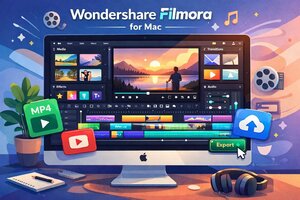
Video content continues to dominate digital platforms, and creators using macOS are always searching for tools that balance power, ease of use, and compliance. Wondershare Filmora for Mac has emerged as one of the most widely adopted video editing solutions for beginners, educators, freelancers, and content creators who want professional looking results without a steep learning curve.
This guide explores Wondershare Filmora for Mac from an educational and compliance focused perspective. It explains what the software offers, how it fits into ethical and lawful content creation workflows, and why it has become a trusted choice for Mac users across creative industries.
What Is Wondershare Filmora for Mac
Wondershare Filmora is a video editing application designed to make professional quality editing accessible to users of all skill levels. The macOS version is optimized for Apple hardware and integrates smoothly with the macOS ecosystem.Filmora for Mac allows users to edit videos, add effects, transitions, audio, and text, and export content in multiple formats suitable for social media, education, marketing, and entertainment.
Why Filmora Is Popular Among Mac Users
Mac users value stability, performance, and clean interface design. Wondershare Filmora for Mac aligns with these expectations by offering a polished user experience combined with powerful editing features.Its popularity stems from ease of use, fast rendering on macOS, and compatibility with Apple Silicon processors, making it a reliable choice for modern Macs.
Key Features of Wondershare Filmora for Mac
Intuitive Timeline Editing
Filmora uses a drag and drop timeline that allows users to quickly arrange clips, trim footage, and apply transitions. This design minimizes technical barriers and encourages creative experimentation.Built In Effects and Transitions
The software includes a wide library of visual effects, motion elements, overlays, and transitions. These tools help users create engaging content without relying on third party plugins.Audio Editing Tools
Filmora for Mac offers built in audio tools such as noise removal, equalization, audio ducking, and fade effects. This ensures professional sound quality without external audio software.Text and Title Customization
Users can add titles, subtitles, and animated text using customizable templates. This feature is especially useful for tutorials, social media videos, and marketing content.Performance and macOS Optimization
Wondershare Filmora for Mac is optimized to run efficiently on macOS systems, including devices powered by Apple Silicon. The software leverages GPU acceleration to ensure smooth playback and faster export times.This optimization allows creators to work with high resolution footage without frequent crashes or lag, which is essential for professional workflows.
Supported Video Formats and Export Options
Filmora supports a wide range of video formats, including MP4, MOV, AVI, and HEVC. Users can export videos in resolutions suitable for YouTube, Instagram, TikTok, and other platforms.Export presets ensure that videos meet platform specific requirements while maintaining quality and file size efficiency.
Ethical and Lawful Use of Video Editing Software
Using Wondershare Filmora for Mac responsibly means respecting copyright laws, licensing terms, and platform guidelines. Creators should only edit content they own or have permission to use.Filmora provides tools for creativity, not misuse. Ethical content creation builds trust with audiences and platforms alike.
Filmora for Education and Training
Educators and students frequently use Filmora for Mac to create instructional videos, presentations, and learning materials. Its intuitive interface makes it accessible even to users with no prior editing experience.Schools and institutions benefit from its predictable learning curve and reliable performance.
Filmora for Business and Marketing
Businesses use Filmora for Mac to create promotional videos, tutorials, internal training content, and social media campaigns. The software allows marketing teams to produce polished visuals without outsourcing editing work.This improves efficiency while maintaining brand consistency.
Security and Software Authenticity
Using authentic software ensures access to updates, technical support, and security patches. Verified versions of Wondershare Filmora for Mac reduce risks associated with malware or compromised software.Maintaining software authenticity is an important part of digital compliance and system security.
Updates and Ongoing Improvements
Wondershare regularly updates Filmora to introduce new effects, improve performance, and ensure compatibility with the latest macOS releases. These updates help users stay current with creative trends and technical standards.Frequent updates demonstrate long term software reliability.
Comparison With Other Mac Video Editors
Compared to advanced tools like Final Cut Pro or Adobe Premiere Pro, Filmora focuses on accessibility rather than complexity. It is ideal for users who want strong results without spending months learning advanced workflows.This balance makes Filmora especially attractive for solo creators and small teams.
Why Wondershare Filmora for Mac Is a Smart Choice
Filmora bridges the gap between basic editing apps and professional software. It provides enough depth for serious projects while remaining approachable for beginners.Mac users benefit from performance optimization, creative flexibility, and consistent user experience.
Conclusion
Wondershare Filmora for Mac is a powerful yet user friendly video editing solution designed for modern macOS users. Whether you are a student, educator, content creator, or business professional, Filmora offers the tools needed to produce high quality videos ethically and efficiently.By using the software responsibly and staying within lawful guidelines, creators can build engaging content while maintaining trust and professionalism in their work.
FAQs
1. Is Wondershare Filmora for Mac suitable for beginnersYes. The interface is designed to be intuitive and beginner friendly.
2. Does Filmora work on Apple Silicon Macs
Yes. It is optimized for Apple Silicon and Intel based Macs.
3. Can I use Filmora for commercial projects
Yes, provided you comply with licensing terms and content ownership rules.
4. What video formats does Filmora support
Filmora supports common formats like MP4, MOV, AVI, and HEVC.
5. Does Filmora receive regular updates
Yes. Wondershare releases updates to improve features and macOS compatibility.
