

- Warranty
- 1 days

 EagleSpy v5 RAT: Android Surveillance Tool With Banking Injection and Ransomware PayloadsA threat actor known as xperttechy is actively promoting EagleSpy v5, a stealthy Android RAT now circulating via dark web marketplaces. This variant targets Android 9 through 13 — with reported success on Android 15 — and boasts full remote access capabilities, including:Live screen/video/audio captureKeylogging & clipboard hijackingGPS tracking & file exfiltrationRemote app install/uninstallBanking overlay injectionsBuilt-in ransomware moduleGoogle Play Protect evasion + black screen anti-analysisEagleSpy leverages Android Accessibility Services for persistence and stealth. It’s marketed as “no root required,” lowering the barrier for threat actors, and spreads via phishing APKs, fake apps, and social media lures.
 Impact: Think dual-threat: covert surveillance + financial compromise, all packed into a polished C2 GUI. The ability to capture seed phrases from crypto wallets adds extra urgency.
 Mitigation Tips:Block sideloading on managed devicesDeploy mobile threat defense (MTD) solutionsEducate users on phishing APKs & fake app storesMonitor for anomalous Accessibility Service behavior
CORE FEATURES
 Cryptocurrency Injection Attacks
Many malware variants can imitate over 30+ crypto-related apps to steal login details and wallet information.
Banking App ImpersonationSome strains can deploy fake screens for banking apps — often created on request — to capture sensitive credentials.
Self-Hiding on Uninstall AttemptsWhen victims try to remove the malicious app, it may disappear instead of uninstalling, giving a false sense of safety.
Remote Commands to Hide/Show IconsAttackers can control whether the app’s icon appears on the device, making it harder to detect.
Complete Notification SuppressionMalware may block all notifications to hide warnings from antivirus apps or the system.
Firewall ManipulationSome malicious apps can toggle firewall services to ensure they keep running in the background.
Preventing the Screen From SleepingKeeping the device awake helps malware stay active and continue its operations without interruption.
One-Tap Disabling of Key SettingsAttackers may disable critical system settings to make removal more difficult.
Disabling BiometricsFeatures like Face ID or fingerprint unlock might be turned off, weakening device security.
Permission Popup ManipulationMalware can hide or fake permission pop-ups to trick users into granting access.
Automated APK Injection ToolsThese are used to modify legitimate apps with malicious code in just one click.
Stealth Injection Into Legit AppsCybercriminals often inject malware into apps from trusted sources like app stores.
Targeting Crypto AppsWallet apps such as Trust Wallet or MetaMask are common targets through fake overlays and patched versions.
Bypassing Black Screen RestrictionsSome malware removes screen-blocking protections to record sensitive data more easily.
Screenshotting Recovery PhrasesAttackers may capture screenshots of wallet seed phrases (12/24 words), risking full crypto theft.
Customizable Accessibility AbuseMalware frequently exploits accessibility permissions, using tailored screens to deceive users.
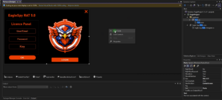
 Screenshots: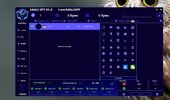
 LEAVE A REVIEW FOR SUPPORT


